Codexxa develops supply chain automation solutions to connect supplier coordination, procurement, inventory planning, transportation, and order workflows. We tailor software to your operating model so teams can exchange information, monitor supply chain activity, and manage operational handoffs across connected systems.
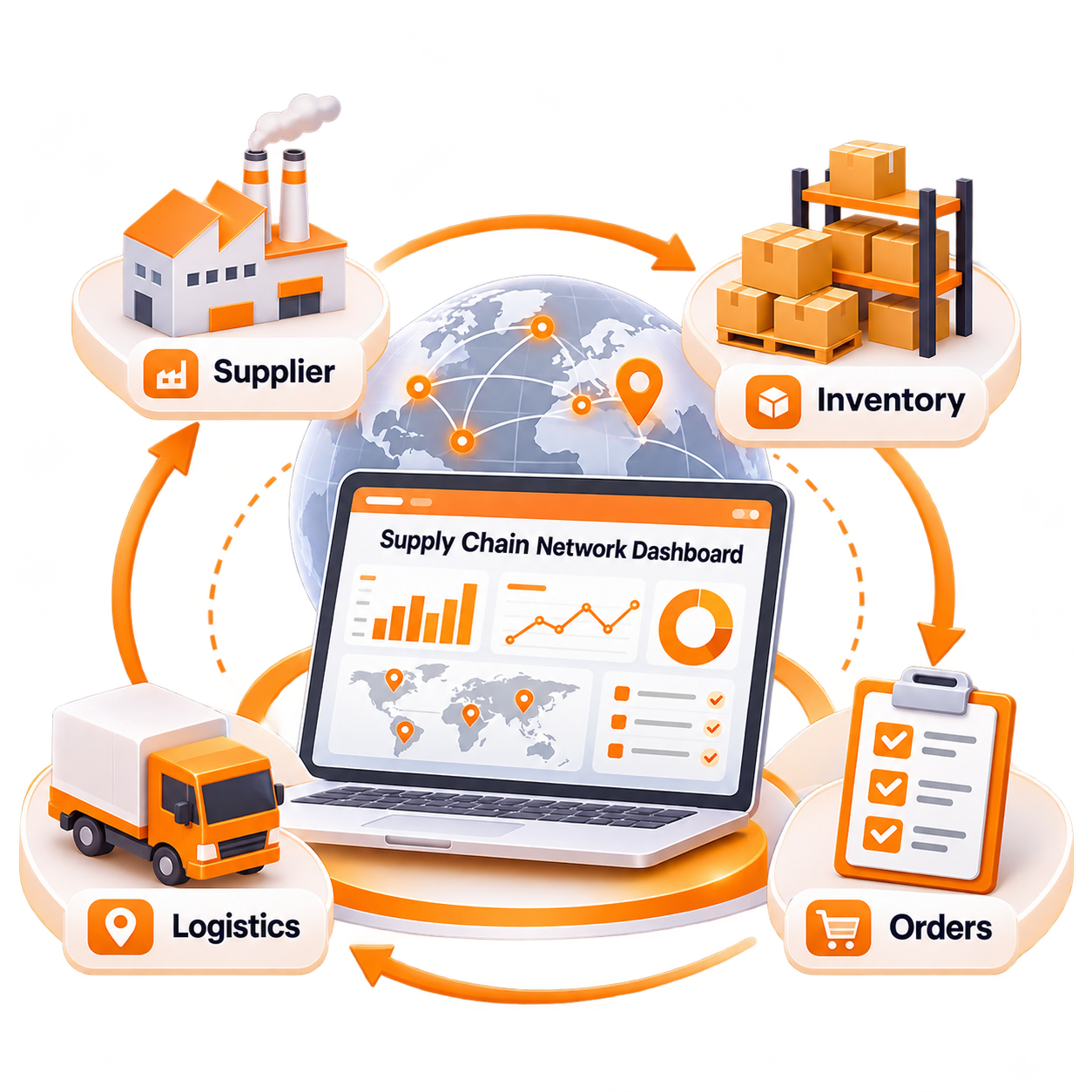
Improve coordination between purchasing, inventory, suppliers, and logistics with connected workflows built around your operations.
Supplier updates, inventory records, purchase orders, and shipment details may sit in separate systems. Connected workflows help teams access relevant information without relying entirely on manual updates between applications.
Missing confirmations and inconsistent delivery updates can make purchasing decisions difficult. Defined communication workflows help teams record supplier responses, monitor outstanding requests, and follow up when required.
Purchasing teams may struggle to align order quantities, supplier lead times, and current inventory needs. Shared operational data helps inform purchasing decisions and reduce avoidable gaps between demand and replenishment.
When shipment milestones are not readily available, teams may have difficulty identifying delays or preparing for changes in delivery schedules. Integrated status updates can make shipment progress easier to review.
Stock shortages, delayed deliveries, and incomplete supplier records often require coordination across multiple teams. Configurable alerts and exception workflows help assign responsibility and track issues until they are addressed.
We develop connected workflows that support planning, purchasing, supplier coordination, inventory movement, and logistics visibility. Each capability can be designed around your existing processes and the systems involved in your supply chain.
Bring together relevant demand, inventory, purchasing, and supplier information to support planning activities and improve coordination between teams.
Organize supplier information, purchase order communication, confirmations, and follow-up activities through structured workflows.
Connect purchase requests, approval steps, order creation, and supplier responses according to your purchasing rules.
Use available inventory data and defined replenishment conditions to identify potential shortages, review stock requirements, and coordinate replenishment activities.
Bring available dispatch details, shipment milestones, carrier updates, and delivery records into workflows that help teams follow goods in transit.
Present relevant supply chain indicators and configurable alerts so teams can identify pending activities, review exceptions, and monitor operational progress.
Supply chain planning connects what the business expects to need with the inventory, purchasing, and distribution activities required to support it. We can develop tools that help teams assess available information and coordinate the next steps.
Bring supported sales history, order data, seasonal assumptions, and other relevant planning inputs together for review or use in configured forecasting workflows.
Combine available inventory records from connected facilities or systems to provide a broader view of stock positions and potential supply gaps.
Configure rules based on selected stock thresholds, lead times, or planning conditions to flag items that may need replenishment.
Apply business-defined rules to help allocate available inventory across locations, orders, or other priorities according to your operating requirements.
Identify potential stock transfers between facilities where inventory availability, demand, and business rules indicate that moving stock may be appropriate.
Flag selected inventory conditions for review so teams can investigate possible shortages, overstock situations, and replenishment requirements before taking action.
Purchasing involves several connected decisions, from identifying a requirement to confirming delivery expectations. We design workflows that connect internal purchasing teams with supplier information and relevant supply chain systems.
Capture purchasing needs from approved requests, replenishment signals, or other supported business inputs to give the procurement process a defined starting point.
Route requests through the required checks and approval steps based on configured purchasing rules, user roles, and spending controls.
Prepare purchase order records using approved requirements, supplier details, product information, quantities, and relevant delivery conditions.
Record supplier responses and confirmation details so purchasing teams can identify orders that require clarification or follow-up.
Track expected delivery dates and available schedule updates to help teams prepare for incoming goods and respond to potential changes.
Connect available receiving records with purchase order information to support quantity checks, discrepancy handling, and updates to relevant business systems.
Goods and order information pass through several teams before reaching their destination. We help connect these handoffs so relevant records and status updates can follow the process from the initial requirement to receipt or delivery.
Capture the business need, expected quantities, required dates, and other relevant details that initiate a supply or purchasing workflow.
Convert approved requirements into purchase orders or corresponding records that can be shared with the relevant supplier or connected system.
Record accepted quantities, expected delivery dates, and other available confirmation details to help teams identify changes from the original order.
Connect available dispatch information and shipment milestones so teams can follow goods after they leave the supplier or dispatch location.
Capture receipt information and any recorded discrepancies, then link the details to the corresponding order or shipment records.
Send relevant updates to connected inventory, procurement, or order systems where supported, helping keep operational records aligned.
Route discrepancies, incomplete records, and delayed milestones to the appropriate teams for investigation, follow-up, and documented resolution.
Transportation workflows depend on timely information about dispatches, carriers, routes, delivery schedules, and shipment progress. We can connect relevant logistics data to help teams coordinate movements and investigate delays.
Organize shipment requirements, destinations, delivery windows, and relevant order details to support transportation planning according to your business rules.
Record carrier details and connect supported assignment workflows to the orders or shipments they are responsible for handling.
Coordinate dispatch plans with order readiness, pickup arrangements, and available carrier information to help teams prepare shipments.
Consolidate available status updates from connected carrier systems or tracking interfaces so authorized users can review shipment progress.
Flag reported delays, unsuccessful delivery attempts, or other recorded shipment issues and route them to the appropriate team for follow-up.
Connect supported delivery confirmations and freight records to relevant shipment or order information for operational review and recordkeeping.
Supply chain visibility depends on bringing important updates into a shared operational view. We can develop dashboards, notifications, and exception workflows that help teams identify issues and coordinate appropriate responses.
Highlight orders with missing confirmations or changed delivery expectations based on available supplier records and configured monitoring rules.
Flag differences in quantities, order status, or expected dates where the relevant records provide enough information for comparison.
Identify stock conditions that fall outside defined thresholds and connect them to the purchasing or replenishment workflows responsible for review.
Surface available tracking updates or missed milestones that indicate a shipment may require investigation or communication with a carrier.
Compare recorded purchasing or transportation costs with selected reference values or approved limits to flag differences for review.
Track reported delivery discrepancies, missing confirmations, and outstanding follow-up actions so teams can see which issues remain open.
Assign issues to designated roles, apply escalation rules where required, and maintain status records to support follow-through across teams.
Codexxa develops and modernizes supply chain software based on your business processes, partner network, data requirements, and existing technology. We can automate selected workflows or connect several operational functions through a tailored solution.
Develop a connected solution for supply chain planning, supplier coordination, purchasing, inventory movement, shipment visibility, and operational reporting.
Explore Service →Automate selected supplier and purchasing activities, including purchase requests, approvals, order records, confirmations, and follow-up workflows.
Explore Service →Connect inventory data with configured planning rules, replenishment triggers, stock allocation, and transfer workflows.
Explore Service →Connect compatible transportation and carrier systems with order, dispatch, and shipment records to improve information flow across logistics operations.
Explore Service →Connect supported ERP, warehouse, procurement, logistics, and partner systems so relevant information can move between applications.
Explore Service →Improve existing software through workflow redesign, additional modules, reporting enhancements, integration updates, and changes aligned with current business requirements.
Explore Service →Supply chain automation often involves multiple applications owned by different teams or business partners. We assess available interfaces and data requirements to plan integrations that support the necessary information exchange.
Connect compatible enterprise systems with relevant purchasing, inventory, supplier, order, and cost records to support coordinated business workflows.
Exchange supported inventory, receiving, dispatch, and stock movement information between supply chain workflows and connected warehouse software.
Integrate available shipment planning, carrier assignment, dispatch, and delivery records to connect transportation activities with wider supply chain operations.
Connect purchase requests, supplier details, confirmations, and order status where the relevant applications support the required data exchange.
Exchange supported order and fulfillment information to help coordinate stock availability, purchasing requirements, and delivery workflows.
Process supported electronic data interchange messages, APIs, and partner feeds according to their specifications and your integration requirements.
Connect available carrier updates and shipment records to relevant order or logistics workflows, subject to the provider's integration capabilities.
Supply chain reporting helps teams review service levels, lead times, stock availability, and operational costs using the information available across connected systems. We can build dashboards around your chosen indicators and reporting needs.
Review the elapsed time between relevant order milestones to assess supplier delivery patterns and identify changes that may need investigation.
Measure the time between defined purchasing stages to help teams examine approval delays, order processing, and supplier response patterns.
Report the proportion of deliveries recorded as arriving within the expected timeframe for a selected period and set of shipments.
Monitor recorded stock availability against selected requirements to identify potential shortages and assess inventory coverage across connected locations.
Consolidate available freight and transportation cost records to help teams review spending patterns across shipments, carriers, or delivery routes.
Review fulfillment milestones and order status records to understand processing progress and identify recurring delays across connected workflows.
Track unresolved supply chain issues and delayed shipments to help teams prioritize follow-up and review recurring operational problems.
Supply chain requirements vary with product types, supplier relationships, delivery expectations, and operational constraints. We tailor automation workflows to the processes and information your industry needs to coordinate.
Connect material requirements, supplier orders, component availability, production-related needs, and incoming deliveries to support coordination between procurement and operations.
Coordinate stock replenishment, supplier purchasing, order demand, distribution activities, and shipment information across supported retail and commerce systems.
Manage supplier order records, bulk purchasing workflows, stock allocation, distribution updates, and delivery coordination for wholesale operations.
Support workflows that need relevant batch, expiry, delivery, or product handling information where those data fields and operating procedures apply.
Connect supply and distribution records with relevant product identifiers, batch information, expiry details, and traceability requirements where required by the business.
Coordinate shipment information, partner records, customer-specific workflows, and operational reporting across supported logistics and distribution processes.
Supply chain systems often connect different teams, applications, and external partners. We plan implementation around those dependencies, the quality of existing data, and the operational changes required for adoption.
Review purchasing, supplier coordination, inventory planning, transportation, and delivery processes to identify automation opportunities and system dependencies.
Identify relevant data sources, record formats, system interfaces, partner connections, and information that must move between applications.
Define the system components, process rules, user responsibilities, approval paths, exception handling, and reporting requirements for the agreed scope.
Build the required features and configure supported connections between supply chain software, business applications, and external partner systems.
Test common workflows and exception cases, including supplier delays, order discrepancies, shipment updates, and failed data exchanges where relevant.
Introduce the solution through an appropriate pilot or phased rollout, collect feedback, and prepare users to follow the updated workflows.
Review system behavior, integration results, operational feedback, and unresolved issues after launch to prioritize further improvements.
Share your supply chain goals with Codexxa to plan software around your workflows.
We typically reply within minutes